

JDLink Activation Guide
Connecting your John Deere equipment to JDLink is easy! This video walks you through the simple setup process so you can start monitoring machine data, improving fleet management, and boosting safety and uptime right away.
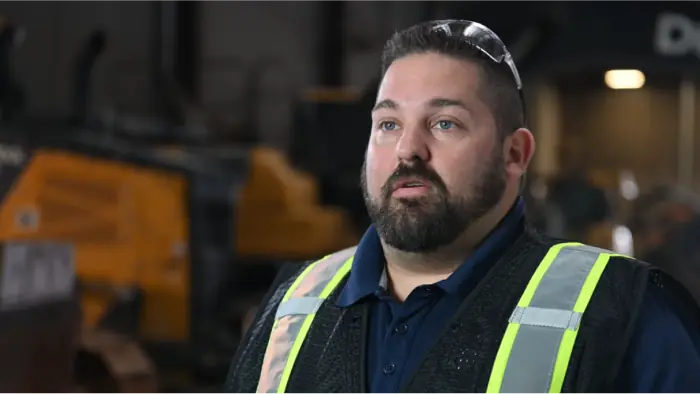
At Doggett Equipment, safety and performance go hand in hand. Our Safety & Performance Tips video series provides operators, contractors, and fleet managers with practical insights to maximize productivity while maintaining safe working environments. From advanced machine guidance systems to hydraulic testing and operator best practices, these videos highlight real-world techniques and technologies that keep operations efficient and secure.
Connecting your John Deere equipment to JDLink is easy! This video walks you through the simple setup process so you can start monitoring machine data, improving fleet management, and boosting safety and uptime right away.
Watch the John Deere 1050K Dozer handle rocky terrain. The suspended undercarriage cuts vibrations, lets you work more efficiently, and keeps the ride smooth.
See how John Deere excavators make grading easier. Choose 2D or 3D guidance, use built-in laser and tilt sensors, and control everything right from the cab with JDLink, keeping you connected.
See how John Deere Worksite lets you monitor your entire fleet in real time. Track machine performance, access diagnostics remotely, view payload data, and use grade control for precise operation.
See how John Deere Connected Support keeps your fleet running smoothly. Monitor machine health in real time, get expert alerts, use remote diagnostics and software updates, and fix issues faster with fewer service trips—saving time, reducing downtime, and cutting costs.
Watch Great Dane test trailer hydraulics under continuous operation. The video highlights durability and performance through real-world stress testing.
Watch the John Deere 210G Excavator in action. Strong welded boom and arm, smooth hydraulics, comfortable cab, and smart power settings make work easier and more efficient.
Check out the 2019 John Deere 210G Excavator. Strong welded boom and arm, smooth hydraulics, smart power modes, and an easy-to-use cab make tough jobs easier.
JDLink is a telematics system that connects John Deere equipment to a remote monitoring platform. It collects machine data, including location, operating hours, fuel consumption, and diagnostic fault codes. Operators and fleet managers can use this information to monitor equipment performance and manage maintenance needs.
Fleet managers can use JDLink to monitor equipment location, machine hours, fuel consumption, idle time, fault codes, and operating conditions. This information helps businesses track equipment usage, identify maintenance needs, and make informed fleet management decisions.
John Deere Expert Alerts are notifications generated by analyzing connected machine data for patterns associated with potential equipment problems. When a concern is detected, an alert is sent to the local John Deere dealer, allowing the service team to contact the customer and recommend action before a breakdown occurs.
Yes. John Deere Connected Support allows authorized technicians to access diagnostic information from compatible connected machines. Remote diagnostics can help technicians identify possible issues and determine which parts or tools may be needed before visiting the job site, reducing unnecessary service trips.
Some compatible John Deere machines support remote software updates through Connected Support. Depending on the equipment and update, technicians can send software to the machine for installation without an on-site service visit. This can help reduce maintenance delays and keep supported systems updated.